Live widgets
Show top gifts, combos, weekly leaders, likes, coins and your own custom widgets in OBS.
 TikWid
Create and customize widgets, gift alerts and broadcast actions in the TikWid desktop app.
Download for Windows The latest TikWid installer.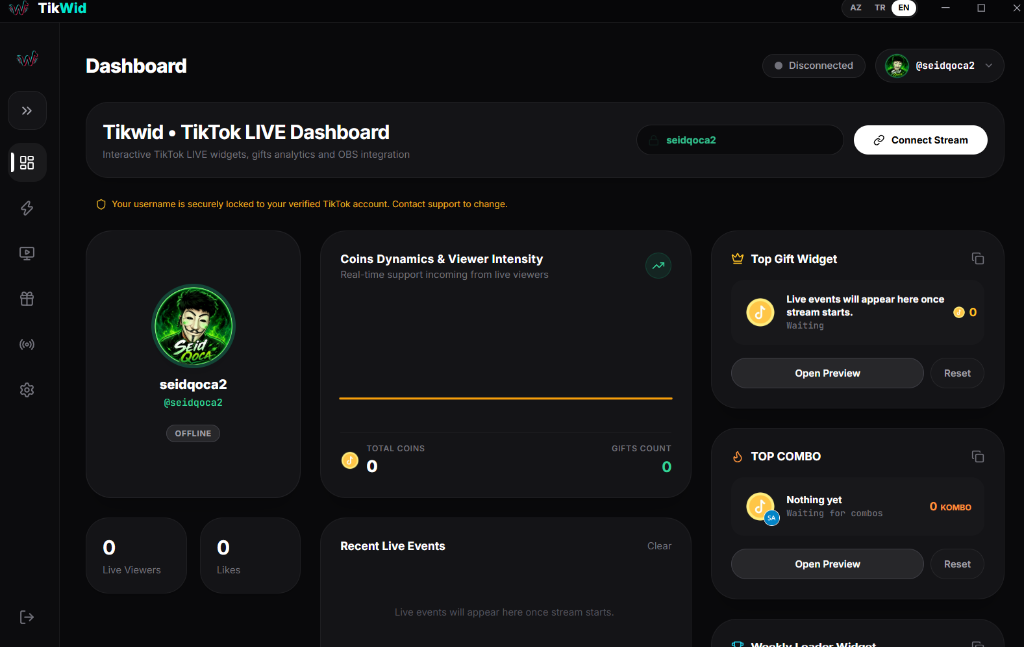
Configure your stream once, then control how every interaction appears and responds.
Show top gifts, combos, weekly leaders, likes, coins and your own custom widgets in OBS.
Adjust colors, titles, typography and positions while watching a live preview before sharing a stable link.
Connect live events to prepared actions such as media, sound and on-screen effects.
Build separate overlay screens and bring them into OBS or TikTok Live Studio.
Choose gifts and create reactions that make support visible during your broadcast.
Add interactive game experiences to your broadcast and let viewers take part.
The desktop app keeps setup, preview and broadcast controls together.
Download the Windows app and create your TikWid account.
Choose widgets and actions, then adjust their look in the preview.
Add your widget links to your broadcast software and connect your live session.
PRO brings extra creative capacity to your streams. Choose a monthly or yearly period in the app.
Choose the duration that suits your broadcasts.
One month of TikWid PRO access.
One year of TikWid PRO access.
Prices are shown in USD. Checkout in the app is handled by Cayvoy in AZN; the final amount is shown before payment.
Use the Windows download button on this page. It always points to the latest available installer.
Yes. Copy a widget link from the app and add it as a browser source in OBS or compatible broadcast software.
Prices are displayed in USD. Cayvoy handles payment in AZN; the final amount appears before you confirm checkout.
Yes. Edit the widget's appearance in TikWid; your existing link continues to use its current settings.
Download TikWid and set up your broadcast in the desktop app.